Fleet home
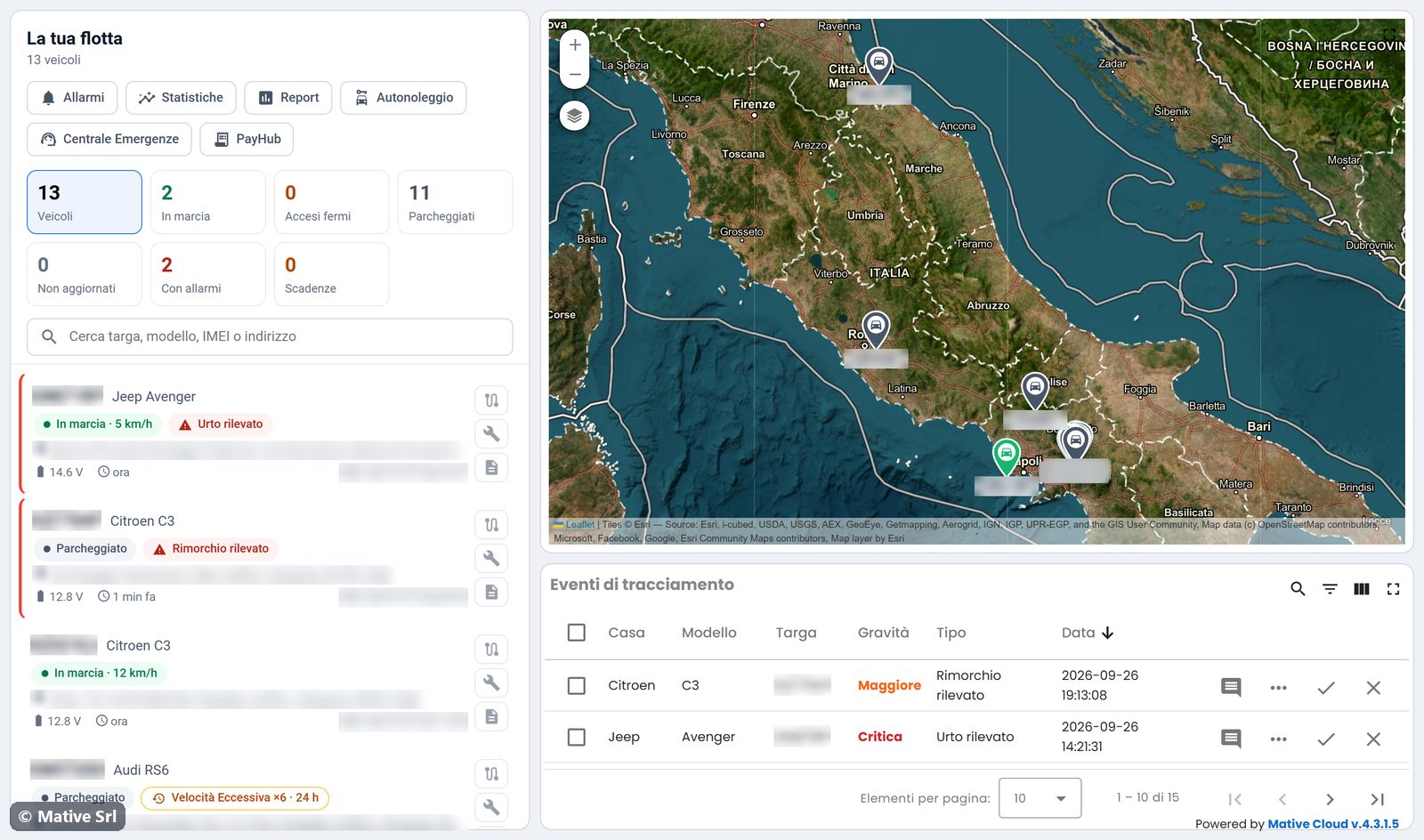
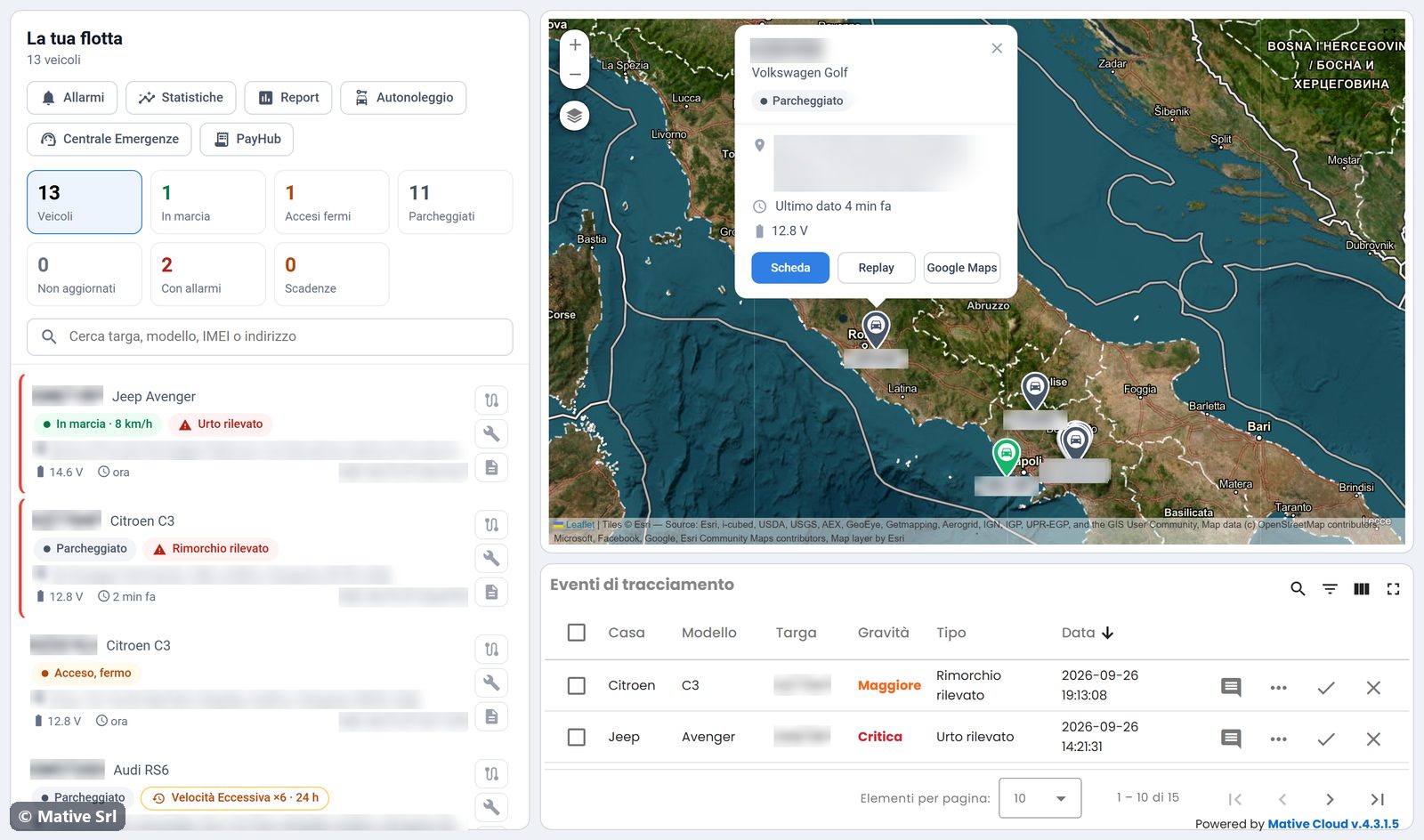
The Flotta (fleet) page is the starting point of Fleet Monitoring. The vehicle list is on the left, and the fleet map and the latest tracking events are on the right.
Buttons at the top
| Button | Opens |
|---|---|
| Allarmi | The alarm centre for the whole fleet |
| Statistiche | The fleet statistics |
| Report | The report service of your company, if it is configured |
| PayHub | The PayHub service, if it is configured |
KPIs and filters
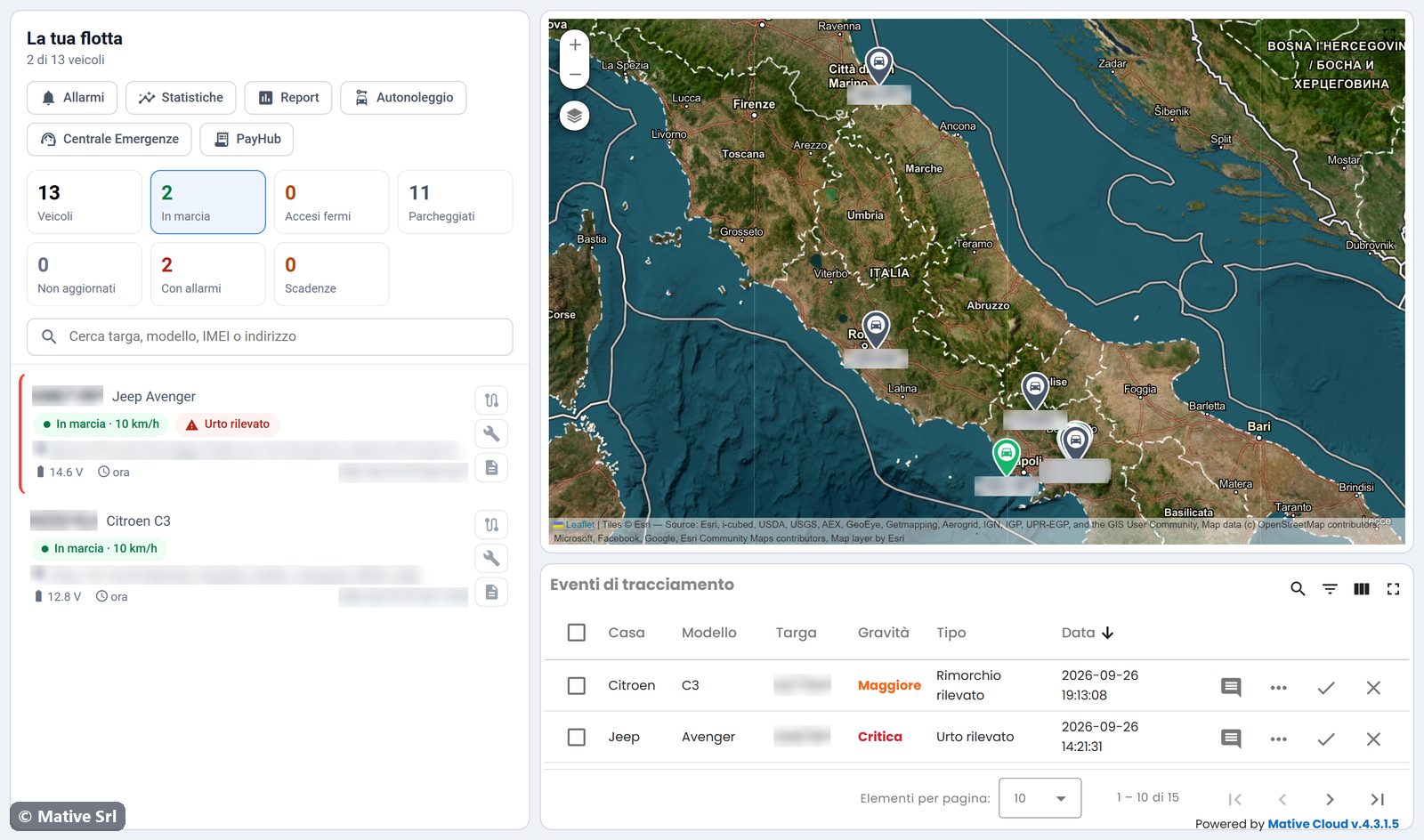
The KPI boxes count the vehicles in each status:
| KPI | Vehicles counted |
|---|---|
| Veicoli | All vehicles |
| In marcia | Moving |
| Accesi fermi | Ignition on, not moving |
| Parcheggiati | Parked |
| Non aggiornati | No data for more than 12 hours |
| Con allarmi | With at least one open alarm |
| Scadenze | With a deadline expired or approaching (30 days or 1,000 km by default) |
Click a KPI to show only those vehicles. Click it again to show the whole fleet. The counter under La tua flotta shows how many vehicles are listed, for example "3 di 13 veicoli".
Search
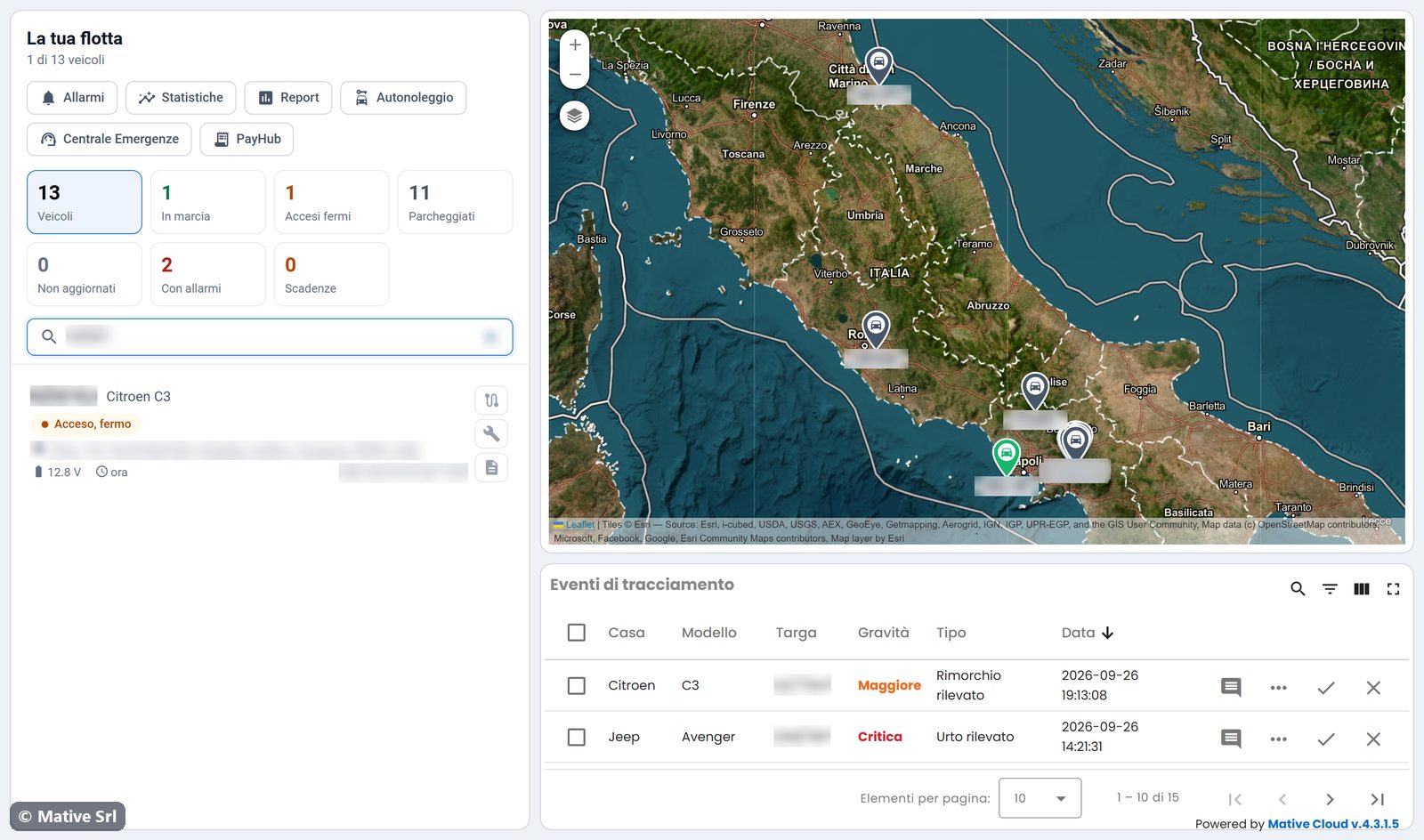
The search box (Cerca targa, modello, IMEI o indirizzo) filters the list as you type. It looks for text in the plate, the model, the tracker IMEI and the last address. A few characters of the plate are usually enough.
Vehicle list
Each row shows:
- plate and model. Click them to open the vehicle page;
- status chips: vehicle status (with the speed when moving), rental status, the open alarm, alarms closed in the last 24 hours, engine locked, the next deadline;
- last address;
- vehicle battery voltage, fuel level (when available), time of the last data and IMEI of the tracker.
The three buttons on the right open the vehicle directly on the Percorsi (trips), Scadenze (deadlines) and Dati veicolo (vehicle data) tabs.
The list shows vehicles with open critical or major alarms first. Then come moving, on-but-stopped, parked and not-updated vehicles, each group sorted by plate.
Fleet map
The map shows every vehicle with a pin labelled with its plate. The colour of the pin follows the vehicle status. Click a pin to open a card with:
- plate, model and status;
- last address, time of the last data, battery and fuel;
- Scheda, which opens the vehicle page;
- Replay, which opens the trips of the vehicle;
- Google Maps, which shows the position in Google Maps.
Tracking events
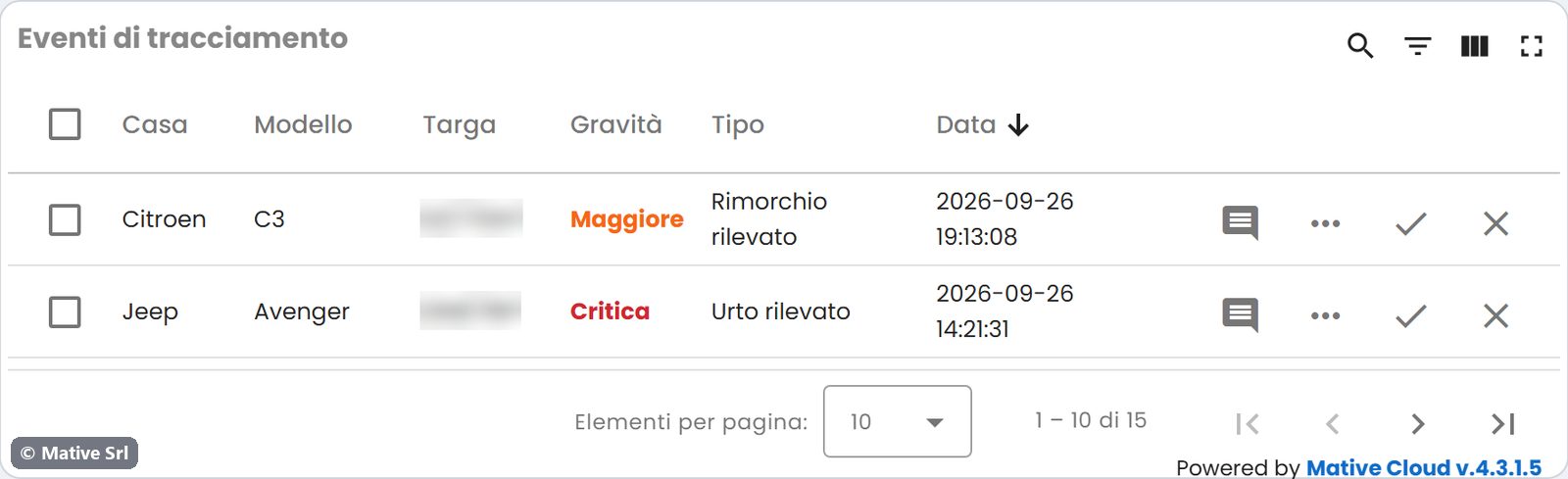
The Eventi di tracciamento (tracking events) table under the map lists the latest alarms of the fleet, with brand, model, plate, severity, type and date. Use the icons at the top right of the table to search, filter, choose the columns and open it full screen.